

In this article, you will learn how to enable background location tracking permission on your Apple iPhone.
Driver locations are collected from the device’s native location service to accurately pinpoint a driver’s latitude and longitude while they are online. iOS devices require permission to allow any app to track a user’s location and how information is shared.
To allow Wodely driver app to accurately track a driver’s location while online, even the app is running on the background, we ask users select “Always Allow” when allowing the app to track location. Please note that Wodely does not collect or store any information from a driver’s mobile device when they are offline or app is closed from background.
How to enable background location tracking?
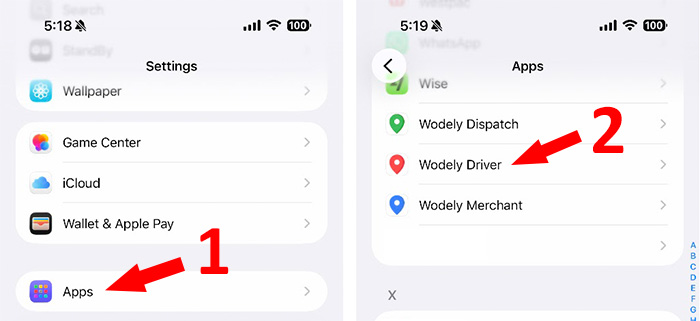
Open Settings app on your iOS device, and scroll down to select Apps option, then select the Wodely Driver app.
Choose the Location option, and select Always from the location access option list.

Finally, restart your Wodely mobile app