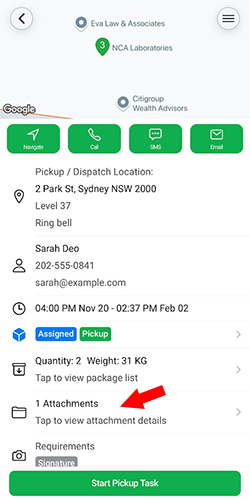
We strive to improve our delivery management platform by adding new features and enhancements and making it even more intuitive to use. This month, we’ve introduced a range of updates and enhancements. Here are some of the key highlights:
1. Driver-Initiated Returns
In our latest app update, it has a new feature to allow drivers to mark undelivered tasks as Returned directly from the driver app. Previously, when a delivery failed, drivers could only mark tasks as Failed, requiring dispatchers to reschedule deliveries or manually update the task status as returned from the dispatcher portal. With this new capability, drivers now have greater control and flexibility in managing returned packages.
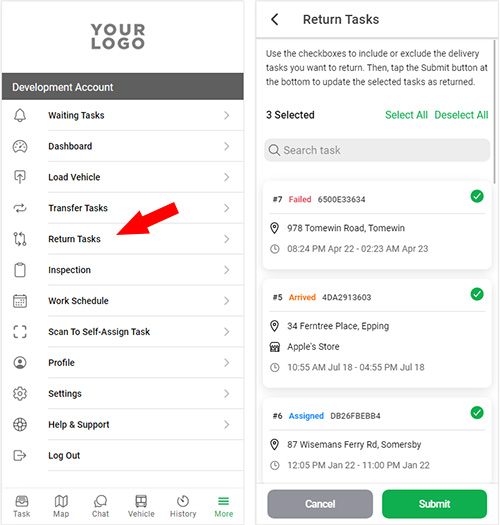
At the end of a delivery route, drivers may occasionally have undelivered items due to failed delivery attempts. If no further delivery attempts are needed, drivers can return these packages to the dispatch center or merchant store. Once returned, they can go to the Return Tasks page in the app, select the relevant tasks, and mark them as Returned in bulk. These tasks will then be closed and removed from the active task list. Alternatively, drivers can also return individual tasks by selecting the Return Task option from the task detail menu.
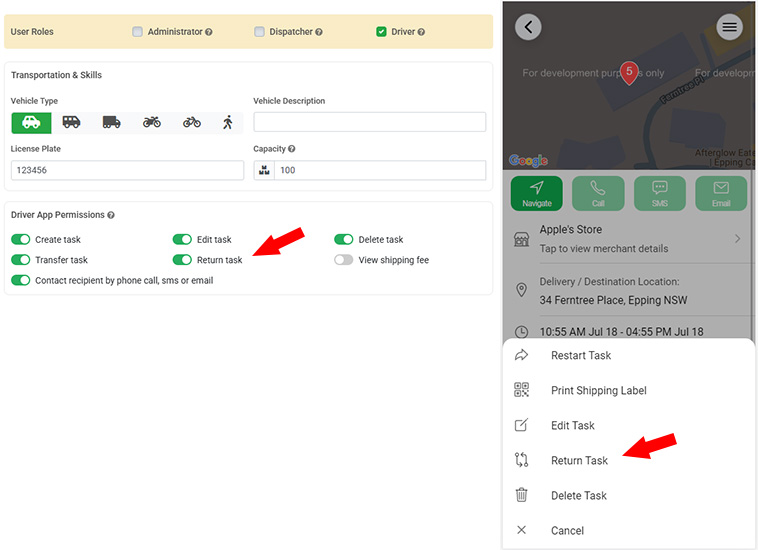
To enable this feature, go to the Extensions page in your admin dashboard and activate the Return Management module. Additionally, administrators must grant the Return Task permission to specific drivers under user settings. This ensures that only authorized team members can perform task returns, giving you full control over return workflows.
2. Partial COD Collection
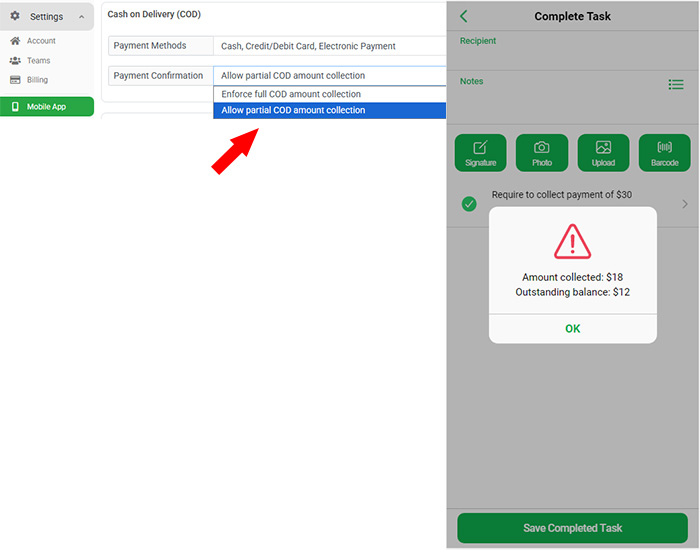
The Cash on Delivery (COD) feature to give your drivers greater flexibility during payment collection. Previously, the app required drivers to collect the full COD amount at the delivery location, preventing them from completing the delivery unless the total due was received. This update addresses that limitation by introducing support for partial COD collection directly from the driver app.
With this new option, drivers can now collect a partial amount at the destination, and the remaining balance will be automatically recorded in the COD report on the dispatcher portal. This allows your team to track outstanding payments and follow up using alternative payment methods. To enable this feature, simply turn on the Payment Confirm setting under the Settings > Mobile App section of your admin dashboard.
3. Flexible Vehicle Inspection
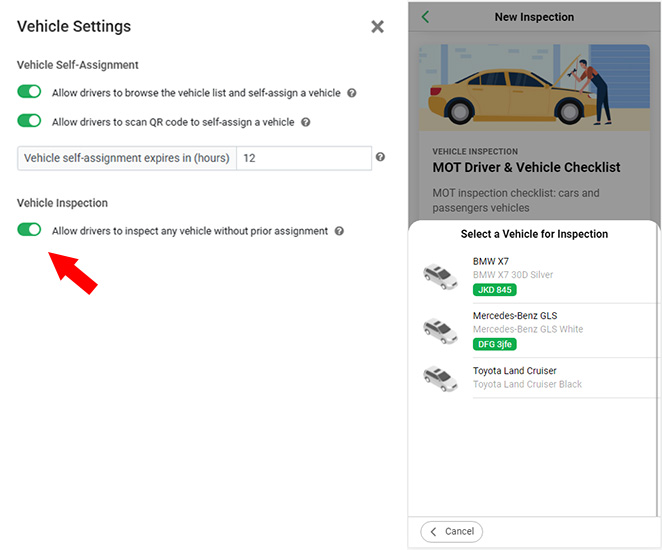
We’ve updated our Vehicle Inspection module to offer greater flexibility for teams managing vehicle safety checks. Previously, drivers could only complete inspections for vehicles specifically assigned to them, which could be limiting for smaller teams or those with shared vehicle use. This setup often required manual reassignment just to perform a basic inspection, adding unnecessary steps to your workflow.
With our latest enhancement, administrators can now enable a setting that allows drivers to inspect any vehicle, regardless of assignment. From the Driver App, users can simply select a vehicle from the available list and complete the inspection as needed. This improvement is ideal for teams that rotate vehicles frequently or prefer not to manage assignments but still require detailed inspection records for compliance and maintenance tracking.
4. Scannable Driver Run Sheet
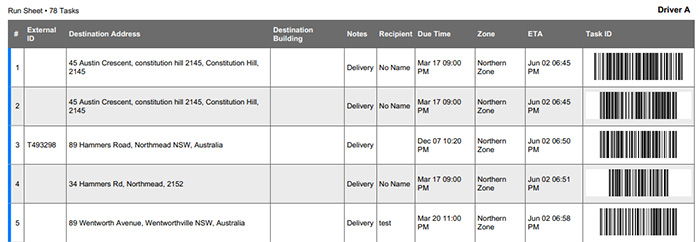
We’ve enhanced the Run Sheet feature to improve task handling for drivers on the road. In addition to listing all jobs for a route, run sheets can now include a unique QR code or barcode for each pickup or delivery task. Drivers can scan these codes using the Driver App or barcode scanner to quickly load vehicles, locate specific tasks, or mark jobs as completed. This feature makes job identification and execution faster and more efficient.
5. Enhanced App Photo Viewer
We’ve improved the file viewing experience across all our mobile apps, including the Driver App, Dispatcher App, and Merchant App. Users can now tap on image attachments and proof of delivery photos to open a full-screen view, with support for pinch-to-zoom using two fingers. This enhancement makes it easier to inspect delivery details and attached files with greater clarity and precision.