Welcome to the March 2026 release notes. We remain committed to continuously improving our platform to provide you with the best possible experience. This month, we’re excited to introduce several updates and enhancements designed to streamline your operations and improve overall functionality.
We are also pleased to announce that our new Multi-Route Planner module is in beta testing and is expected to be available for full public release early next month. This new feature is designed for scheduled deliveries, allowing you to plan routes with tasks ahead of time without assigning them to a driver. In this new work mode, dispatchers can create multiple routes for the future and assign them to drivers at the same time, and drivers will then select a route from the assigned route list in the mobile app before starting their deliveries. It offers advanced route planning and optimization to help you efficiently manage multiple routes across your organization.
Here are some of the key highlights of changes for this month:
1. Enhanced Auto-Dispatch Priority Control
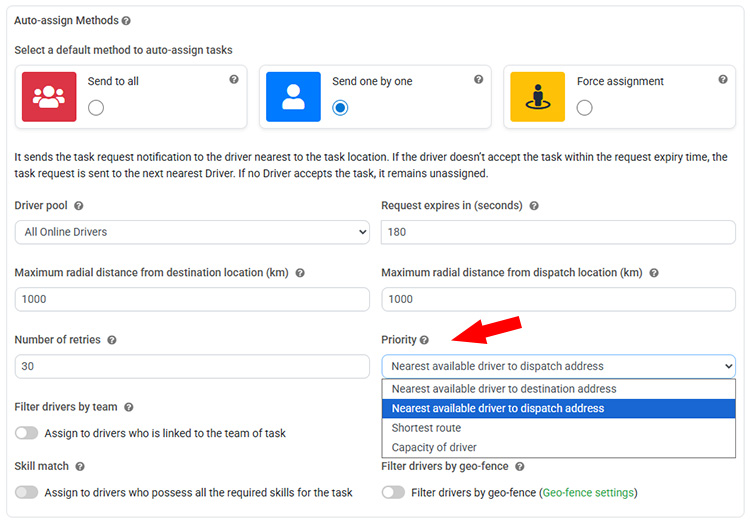
We’ve introduced several enhancements to the Automated Task Assignment and Auto-Dispatch module to provide greater flexibility and control when distributing jobs to drivers. In the “Send One by One” auto-dispatch mode, you can now configure priority rules to determine which drivers receive task requests first. Previously, the system automatically sent requests starting with the driver closest to the destination location, followed by the next nearest drivers. With this update, dispatchers can choose from multiple priority options, such as selecting drivers nearest to the dispatch location, identifying the shortest route, or prioritizing drivers based on their available capacity. This allows tasks to be directed to drivers who currently have fewer assigned jobs, helping teams balance workloads and adapt the dispatch logic to different operational models.
Additionally, improvements have been made to the Force Assignment mode. You can now configure an auto-dispatch retry interval, allowing the system to pause for a defined period before sending repeated task request notifications to drivers. This helps prevent excessive notifications while still ensuring tasks are reassigned if the initial request is not accepted. Together, these enhancements provide dispatchers with more control over how tasks are distributed and improve efficiency across different delivery and workforce management scenarios.
2. COD Payment and Signature Reminders
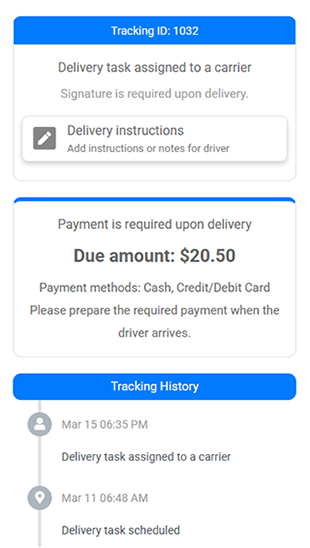
The customer tracking page has been enhanced to provide clearer delivery requirements for tasks that require Cash on Delivery (COD) payment collection or a customer signature. When a delivery requires COD payment, the tracking page will now display a reminder informing customers that payment will be collected upon delivery. It will also show the payment amount and available payment methods, allowing customers to prepare cash or card in advance so they are ready when the driver arrives.
For deliveries that require a signature upon receipt, the tracking page will also display a notification to alert customers that a signature is required to receive the package. This helps ensure customers are prepared at the time of delivery and reduces delays for drivers. If you prefer not to display COD payment reminders on the tracking page, this feature can be easily disabled in Settings – Tracking Page.
3. Direct Printing for Documents Using HTML Format
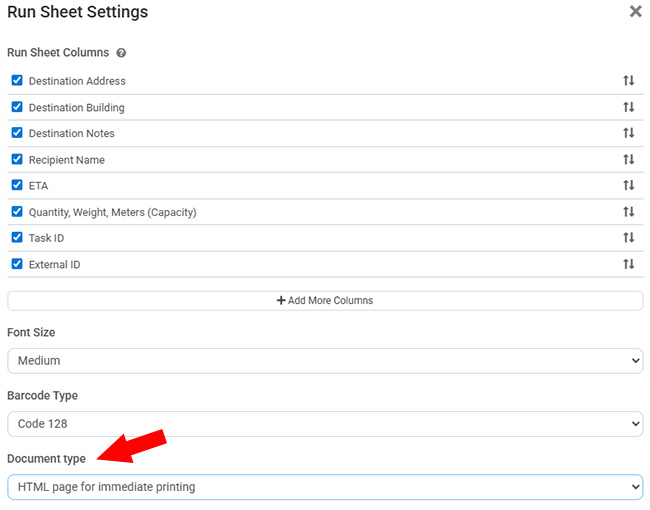
We’ve introduced a new option that allows users to print documents directly using HTML format. Our platform supports many customizable documents, including Delivery Dockets, Proof of Delivery, Driver Runsheets, and Picking Slips. Previously, when users printed these documents, the system generated a PDF file for download, which then needed to be opened again before printing. This added extra steps for users who simply wanted to print the document without needing a saved PDF copy.
With this update, users can now configure the export format of these documents and choose HTML for direct printing. When this option is selected, the document content opens in a new browser window and automatically triggers the print dialog, allowing users to print immediately. This simplifies the workflow for desktop users and also improves usability on mobile devices, where handling PDF files can sometimes be less convenient. The HTML print format is more mobile-friendly, making it easier to print documents directly from smartphones or tablets.
4. REST API Enhancements with Bulk Operations
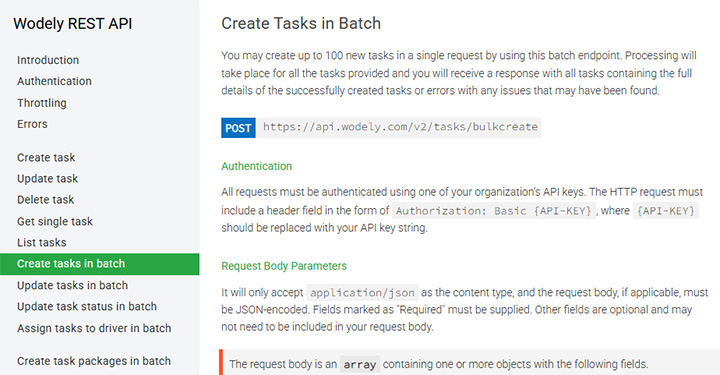
We have enhanced our REST API with new endpoints that support bulk operations for task management. Previously, creating or updating tasks required sending multiple API requests individually, which could be time-consuming and harder to manage when handling a large volume of tasks. This approach also increased the number of API calls needed for integrations and automation workflows.
With the new batch API endpoints, you can now perform multiple actions within a single API request, significantly improving efficiency and integration performance. Supported bulk operations include creating tasks in batch, updating tasks in batch, updating task status in batch, assigning tasks to drivers in batch, and creating task packages in batch. These improvements make it easier for external systems to synchronize large numbers of tasks with the platform while reducing API overhead and simplifying integration development.
5. Self-Assign Tasks by Task Type and Merchant
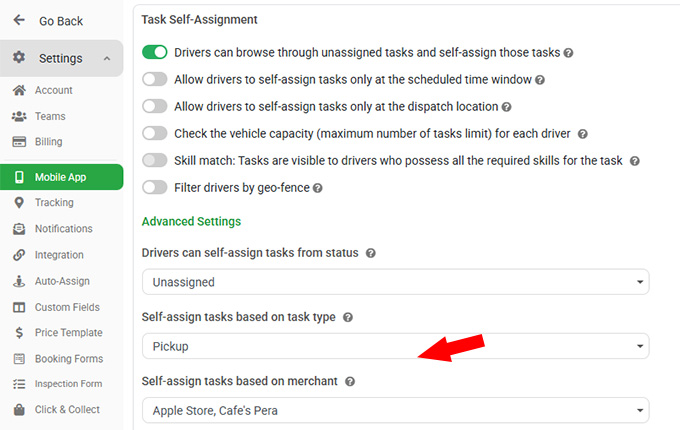
We have enhanced the Task Self-Assignment module to give dispatchers greater control over which tasks drivers can assign to themselves in the driver app. Drivers can still browse and claim available tasks, but dispatchers can now define rules that restrict self-assignment based on specific criteria. For example, you can allow drivers to self-assign only certain task types, such as pickup tasks, while preventing other types from being selected.
In addition, self-assignment can now be configured by merchant, allowing drivers to claim tasks only from selected merchants. This is useful when certain merchants require dedicated drivers or when you want to limit self-assignment to specific accounts. These new controls provide more flexibility for different operational workflows while maintaining better oversight of task allocation.